Crew pay for Jobber

Stop adding up crew pay in a spreadsheet.

CrewPay reads the visits your crew completes in Jobber and works out what each person is owed. Per visit, percent of the job, hourly, per unit, and crews that split a house. You review it, lock it, and export it to payroll.

14-day free trial. No card to start. Reads your Jobber data and changes nothing.

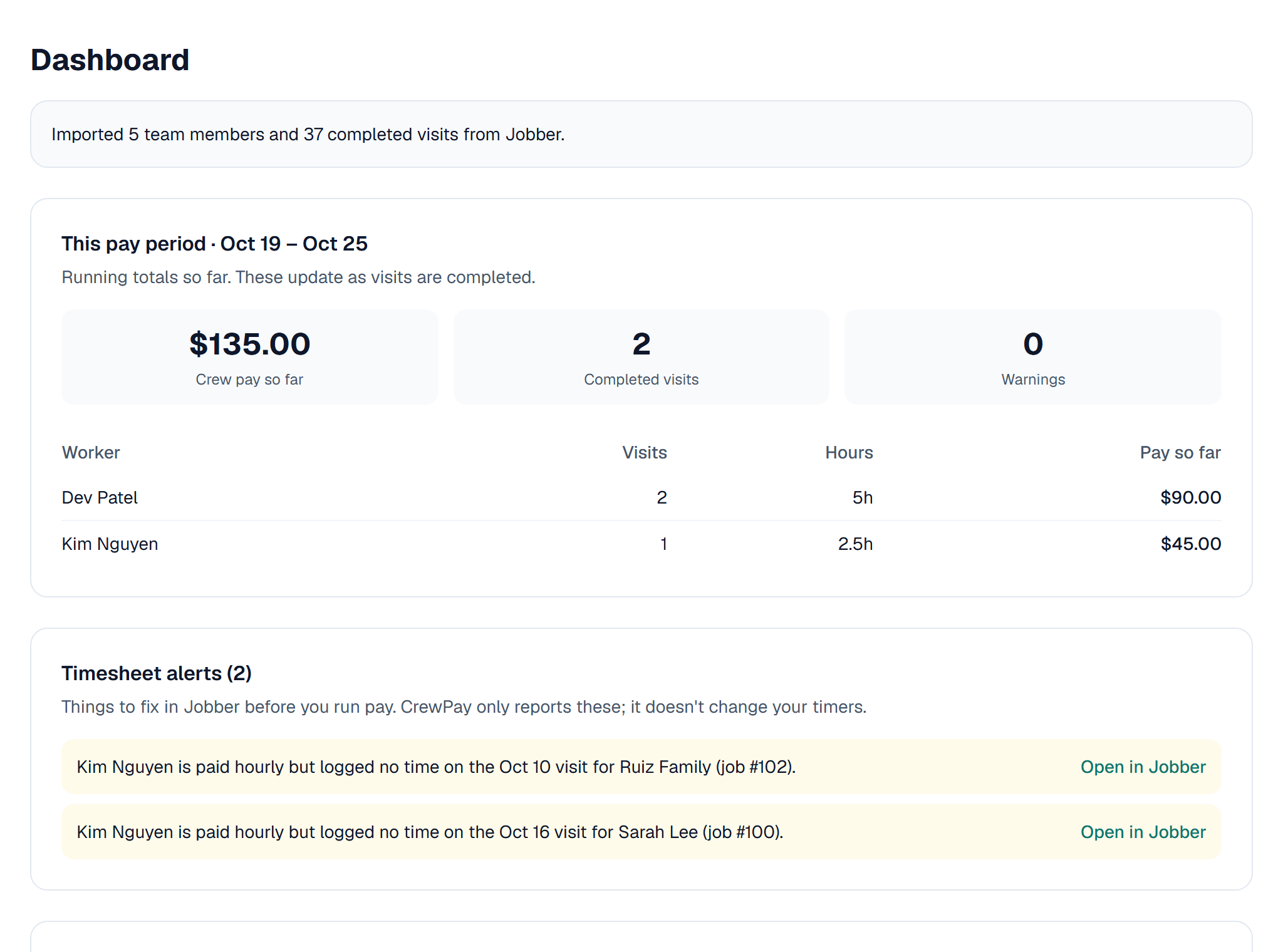
CrewPay dashboard: this pay period's running total for each worker, and timesheet alerts
The problem

Payday shouldn't take your whole Monday.

Jobber tracks the work. It doesn't work out what you owe a crew that's paid a percent of each job, a flat rate per clean, or a split between two or three people. So owners do it by hand.

Every Monday I open every job from last week and add up pay in a spreadsheet.

CrewPay pulls in your completed visits and does the math for you, every pay period.

When two cleaners split a house, I never know if I got the split right.

Split evenly, by set percentages, or by hours worked. The cents always add up to the total.

One pay mistake and a good cleaner quits.

Every worker gets a pay statement that shows each visit, what it paid, and why.

What it does

Everything you need to pay a crew, in one place.

Every way you pay, handled

Set each person's pay once. CrewPay applies it to every visit they complete.

  • Flat amount per visit
  • Percent of the job, or a percent with a minimum
  • Hourly, from the time logged in Jobber
  • Per unit: per window, per room, per square
  • Special rates for a client, property, job or line item

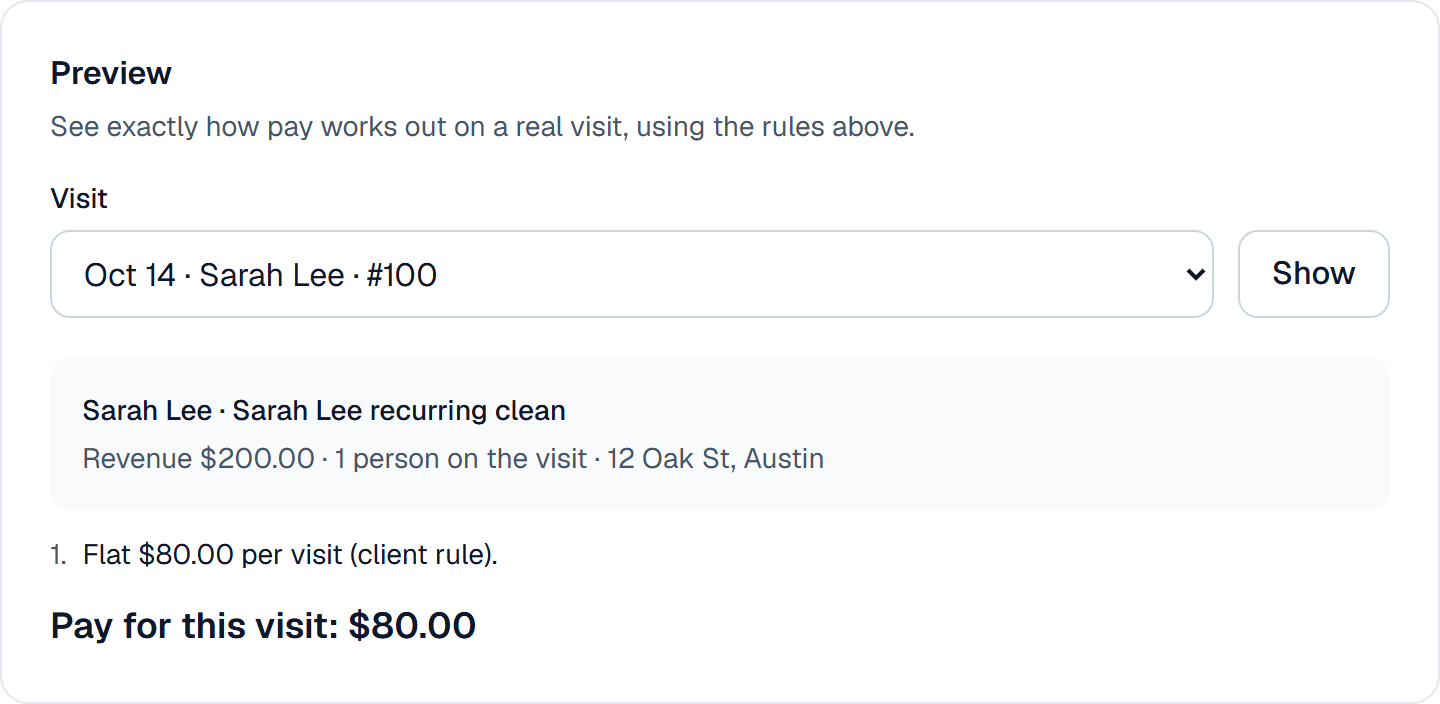
Not sure how a rule works out? Pick any real visit and CrewPay shows the pay, step by step.
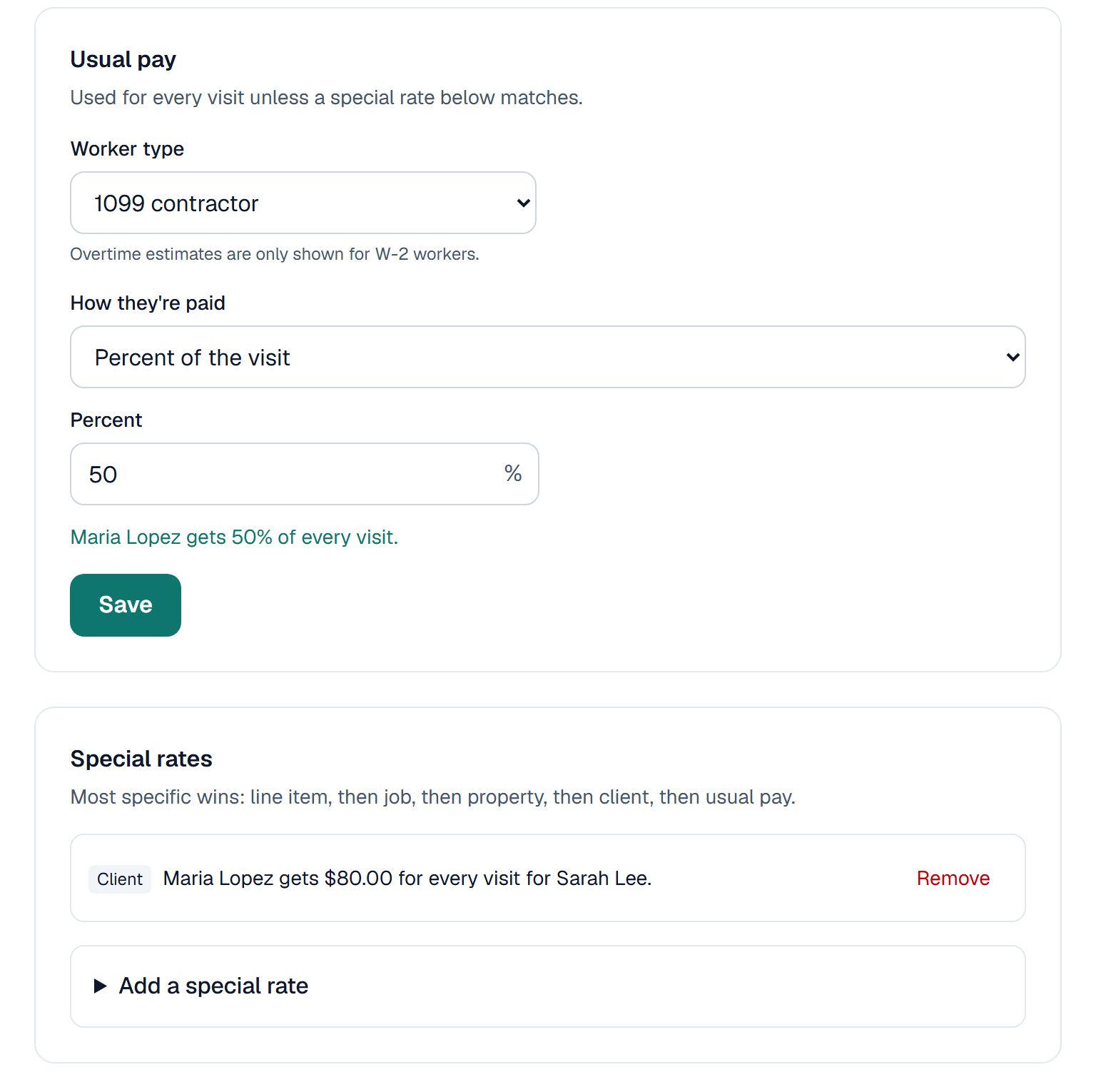
A worker's usual pay and a special rate for one client

Click the picture to see it full size.

Preview of the pay for one real visit, with the rule that applied

Click the picture to see it full size.

Crew splits done right

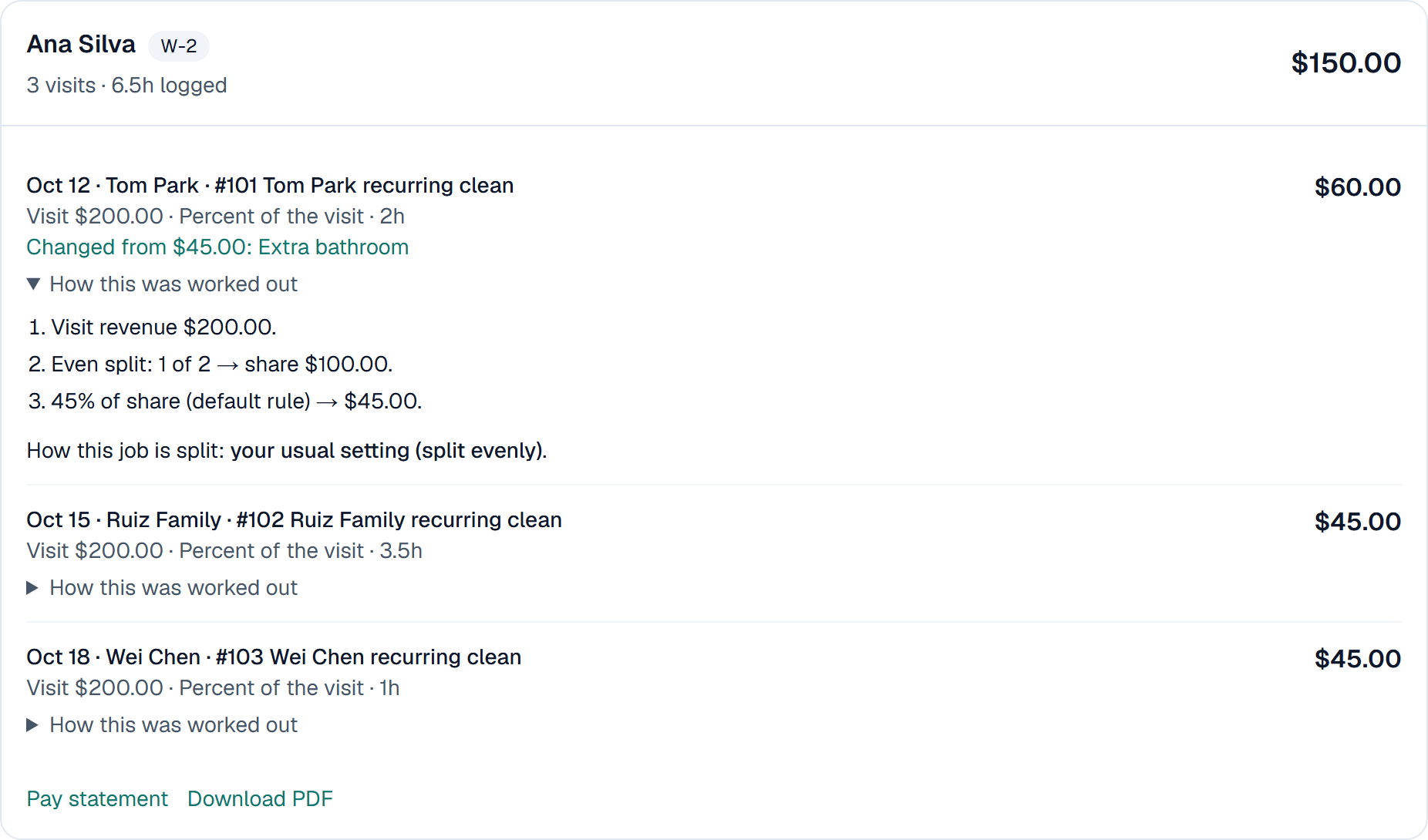
Two or three people on a visit? CrewPay splits it the way you choose and shows the working, step by step, so you can explain any number to anyone.

A visit split evenly between two cleaners, with each step of the math shown

Click the picture to see it full size.

Ready for payroll

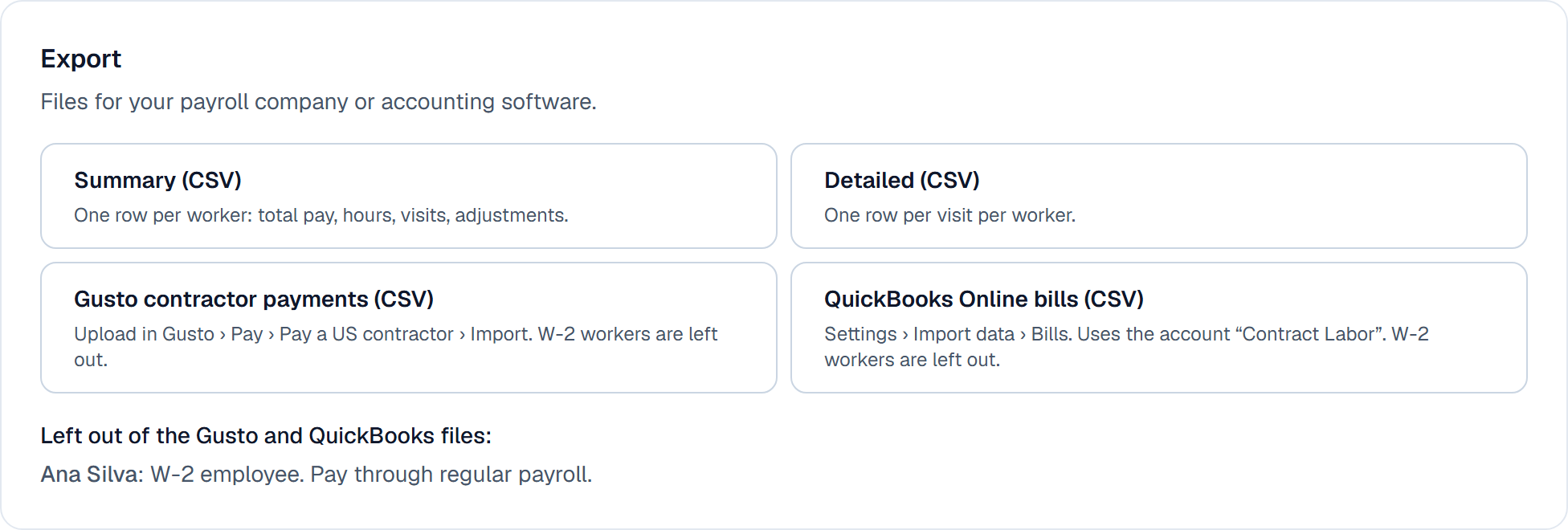
Approve and lock the pay run, then download what you need. Nothing changes after it's locked.

  • Gusto contractor payments file
  • QuickBooks Online bills file
  • Summary and detailed spreadsheets
  • A PDF pay statement for each worker
Export options on a locked pay run: Gusto, QuickBooks, summary and detail files

Click the picture to see it full size.

How it works

Set it up once. Pay takes minutes after that.

Connect Jobber

Sign in with Jobber and click Allow. Your team and completed visits come in automatically.

Set pay rules

Pick how each person is paid. Add special rates where you need them.

Review the pay run

Check every visit, add a bonus or a deduction with a note, then approve and lock.

Export to payroll

Download the file for Gusto, QuickBooks or your payroll company, plus a statement for each worker.

Pricing

One flat monthly price, by crew size.

Small crew

$49/month

Up to 10 active workers

Growing team

$89/month

Up to 30 active workers

Large team

$149/month

Unlimited workers

Every plan starts with a 14-day free trial. No card to start, cancel anytime.

Questions

Common questions

Do you pay my workers?

No. CrewPay works out what each person is owed. You still pay them through your payroll company or however you pay today.

Does it change anything in my Jobber account?

No. It only reads your data. There's an optional setting, off by default, that adds each worker's pay to the job as an expense so your job profit is accurate.

Which Jobber plans does it work with?

Flat, percent and per-unit pay work on any plan. Hourly pay uses Jobber's timesheets, which come with the Connect, Grow and Plus plans.

Are my workers employees or contractors?

We don't decide that. CrewPay calculates amounts from your rules. Check with your accountant or payroll company.

What if I disconnect?

CrewPay stops reading from Jobber right away. Your past pay runs stay, and reconnecting brings everything back.

Is this made by Jobber?

No. CrewPay is an independent app for Jobber, made by Gold Standard Web.

Try it on your own crew.

Connect your Jobber account and see last week's pay worked out in a few minutes. CrewPay will also be listed in Jobber's App Marketplace once Jobber's review is finished.

Questions? Email hello@goldstandardweb.com and a real person will reply.